Custom Domain Event Pages for Business Teams

A custom domain event page uses an address controlled by your organisation, such as events.example.com, instead of only a platform-branded URL. White-label branding removes or reduces the platform's visible identity. These are related capabilities, but they cover different parts of the attendee experience and should be checked separately.
For a company conference, product launch or customer seminar, the practical objective is a page that looks recognisable, works reliably and gives guests a clear registration route. The domain is one part of that experience.
On this page
Understand the difference between domain and branding
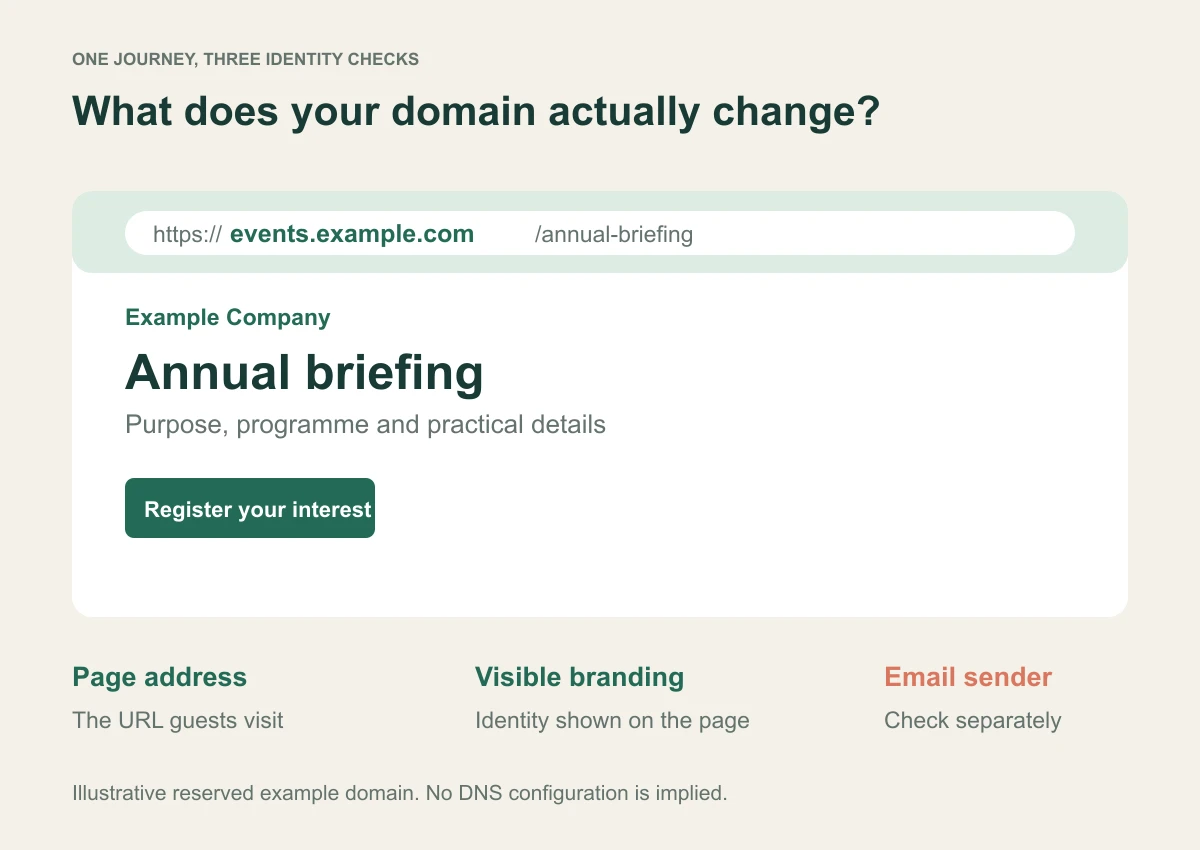
The domain is the address people visit. Branding is the logo, colour palette, typography, imagery and visible naming on the page. White-label scope describes where the provider's identity is removed.
A page can carry your logo while remaining on a provider's domain. It can also use your domain while still displaying a provider footer. Do not assume one setting controls every touchpoint.
Before choosing a setup, list what matters to your organisation: page address, public footer, invitation appearance, sender identity, confirmation messages and exported documents. Ask which are covered. A branded event website does not automatically mean emails are authenticated and sent from your company's email domain.
Choose an address people can recognise
Use a short, understandable address that your IT team can support. A subdomain such as events.example.com can keep the main company website separate from the event experience. An event-specific name can be useful when it fits the organisation's naming policy.
Avoid names that are hard to dictate, easy to mistype or tied to a date you may need to change. Agree what happens after the event so the address does not become a neglected page with old registration instructions.
For recurring events, consider whether the address represents a series or one edition. The appropriate structure depends on what the platform supports and how your team wants to manage archives and redirects.
Give IT a clear setup brief
Identify the person who controls the domain's DNS records. Provide the chosen address, the platform's exact configuration instructions, the event launch date and a contact for testing.
DNS connects a domain name to the service hosting the page. A CNAME record, for example, aliases one name to another, as explained in Cloudflare's DNS guide. The actual record type and target must come from your event platform. Do not copy a generic example into production.
Agree who will maintain the configuration and what happens if the event moves to another service. Avoid changing records used by the company's main website or email without the responsible team's involvement.
Check HTTPS and the final destination
The page should load over HTTPS at the intended address without a certificate warning. InviApp's custom domain features describe connecting an existing domain and automatic certificate issuance and renewal.
Test the final address after configuration. Check the version used in invitations, any redirects and the behaviour on a phone. Allow time for domain setup and testing before the invitation campaign is due to start.
A certificate confirms an encrypted connection to the named site; it does not establish the truth of every event claim. Keep the organiser identity and contact details clear even when the address carries your brand.
Review the complete brand experience
Use approved logos, readable typography and colour combinations that work for text and buttons. Check the cover crop on desktop and mobile. A page can follow a brand palette yet still be difficult to read.
InviApp Business supports company branding and removal of InviApp branding from public event pages. Its business overview also connects that page with agenda, speaker profiles, partners and registration.
Review each attendee-facing step rather than approving only a screenshot of the homepage. Test invitation links, registration, confirmation, return visits and practical event messages. Confirm the scope of branding in the channels your team intends to use.
Keep personal invitation links personal
A public page address can be shared in promotional materials when open registration is intended. A recognised invitation link is associated with a specific guest and should be treated differently.
Do not paste a real attendee's personal link into a public newsletter or social post. Use a public event link or an appropriate test record for previews. Explain the distinction to agencies and colleagues distributing invitations.
InviApp's invitation tools include personal links and access codes. Test that the branded domain and the recognised response journey work together before sending the live campaign.
Treat search visibility as a separate decision
A public customer conference may benefit from a discoverable event page. An internal company event may need restricted access to practical or attendee information. Decide what should be public before asking for search visibility.
A custom domain is not a guarantee of search rankings. Page content, links, technical accessibility and the broader website context still matter. Do not publish confidential details simply to add more searchable content.
For public pages, make the title and event description descriptive, use readable text and keep practical information current. For your general business blog, use a deliberate publishing structure rather than moving articles onto temporary event addresses.
Prepare for the event ending
Choose a page owner and a review date. After the event, update the registration status and decide which details remain useful. If the page moves, involve the web team in handling the old address appropriately.
For an annual series, retain clear distinctions between past and upcoming editions. Avoid presenting last year's date or speakers as current simply because the old page still receives visits.
If the domain is owned by an agency or external supplier, agree ownership and handover arrangements early. A branded address is most useful when responsibility for it remains clear after the campaign ends.
A prelaunch acceptance checklist
- The intended domain resolves to the correct event.
- HTTPS works without warnings.
- The page and footer match the agreed branding scope.
- Public and personal links are used in the right places.
- Registration and confirmation work on a phone.
- Sender identity has been checked separately from page branding.
- An owner and post-event review date are recorded.
For the rest of the page content, use the corporate event page checklist.
Frequently asked questions
Is a custom domain the same as white label
No. The domain controls the address; white-label scope controls visible provider branding. Check both, along with invitation and message branding, before approving the attendee experience.
Do we need a developer to connect the domain
You need someone authorised to manage the relevant DNS settings. The work may be straightforward, but the exact instructions and your organisation's approval process determine who should perform it.
Will a company domain improve event registration
It can create a more consistent brand experience, but any effect on registration should be measured in your own context. The relevance of the event, invitation, page clarity and response process also matter.
Put your event on an address your team can manage
Agree the naming, ownership and acceptance checks before launch. Explore InviApp Business and its custom domain options for branded event pages with registration and programme details.