Event Registration Form Questions for Corporate Events

A corporate event registration form should collect the information needed to confirm a place, contact the attendee and deliver the event. Begin with identity and attendance, then add operational questions only when someone will use the answers. Separate essential fields from optional preferences and give attendees a clear contact route for support.
This guide provides original question wording for company kickoffs, seminars, client events and conferences. It also explains how to turn answers into a usable operations handover.
On this page
Give every question an owner
Before adding a field, complete this sentence: we need this answer so that [named team] can [specific action] by [date]. If you cannot finish it, reconsider the field.
For example, transport requirements go to the person booking the bus. Meal preferences go to catering. A question about company size belongs only if it supports an actual event decision, rather than general curiosity.
This approach also helps decide what is required. A detail may be important to a sales database but unnecessary for entry to a seminar. Requiring it at registration can make the form harder to complete without improving the event.
Essential registration questions
For an invited company event, you may already know the person's name and email. Avoid asking them to retype details that are correctly associated with their invitation, while providing a way to correct errors.
A practical starting set is:
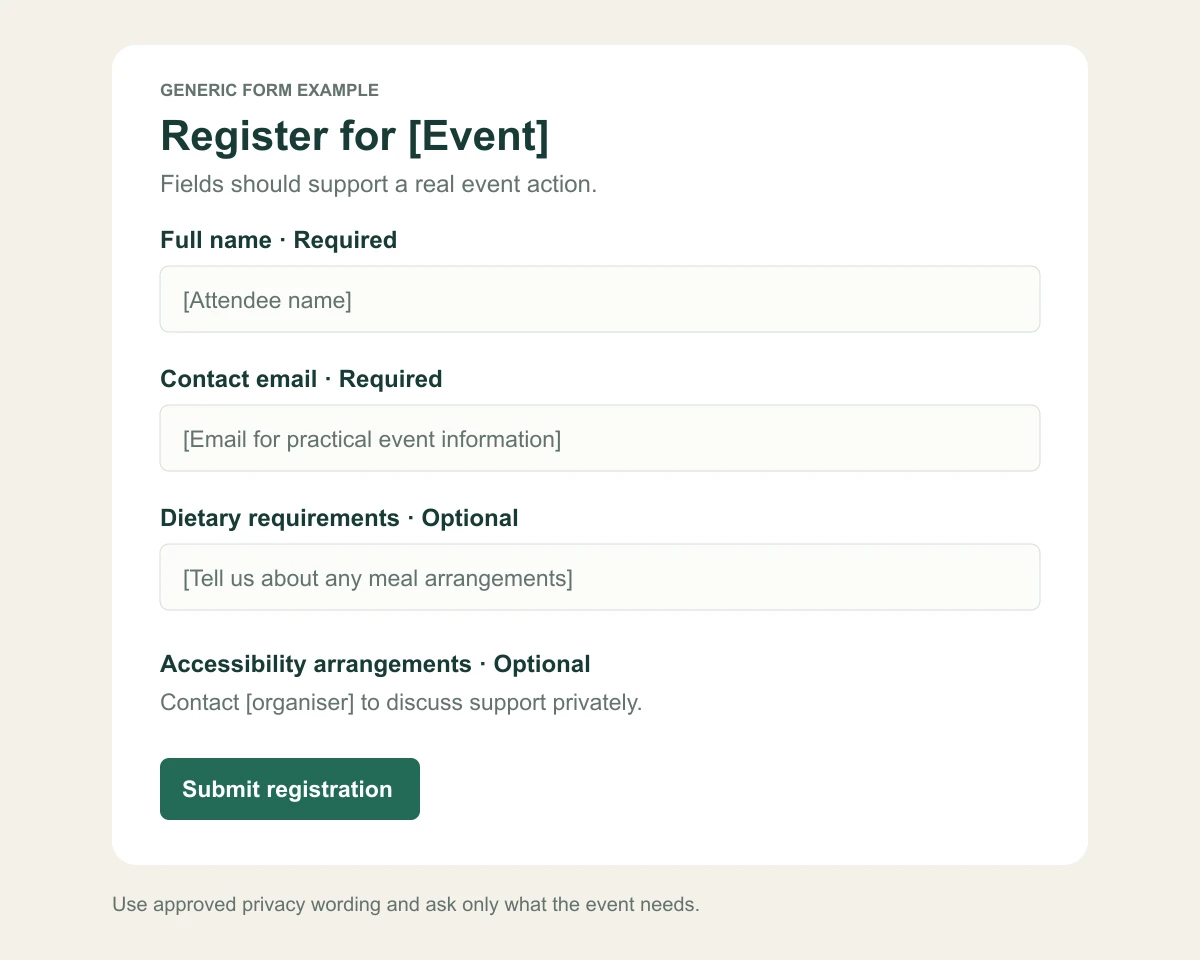
- Full name: “What name should we use for your event registration?”
- Contact email: “Which email should receive practical event information?”
- Attendance: “Will you attend [Event] on [date]?”
- Company or team, when needed: “Which organisation or department are you attending with?”
- Companion details, when allowed: “Will you bring an approved companion?”
Explain the companion policy before asking for names. If companions are not allowed, say so rather than adding a field that implies they are welcome. Use contact details for the purpose described, and follow your organisation's approved privacy process.
Questions for a company kickoff or offsite
Ask about arrangements the team actually provides. Useful examples include:
- “Will you use the organised transport from [pickup point]?”
- “Which of these sessions is most relevant to your role?”
- “Will you attend the evening dinner as well as the daytime programme?”
- “Which office or team should appear on your badge?”
Define whether a session answer is a preference or a reserved place. If workshop capacity matters, do not treat a preference field as proof that a seat has been allocated. Confirm room and booking arrangements separately where the workflow requires it.
For multi-part events, make the options explicit. A single yes response does not tell catering whether someone is staying for dinner. Avoid asking employees to disclose the reason they cannot attend unless a separate organisational process requires it.
Questions for a customer seminar or conference
Focus on relevance and logistics. Possible wording includes:
- “Which topic would you most like the speakers to address?”
- “What job title should we use on your badge?”
- “Which session are you interested in attending?”
- “Do you want the event team to contact you about a specific practical question?”
An open question can improve a panel discussion when someone reviews and summarises the answers. It serves little purpose if the moderator never sees them. Set a deadline for that handover so speakers have time to prepare.
Avoid promising that a speaker will answer every submitted question. Say that questions help shape the discussion if that is the actual plan.
Ask about dietary requirements clearly
Separate a standard menu choice from a requirement that needs individual attention. A possible optional question is: “Do you have dietary requirements we should discuss with the caterer? Please tell us what arrangements you need, or contact [organiser] directly.”
Give a practical deadline for requests when suppliers need advance notice. Explain that the team will follow up if it needs clarification. Do not promise an allergen-free environment or a specific accommodation until the responsible supplier has confirmed what is possible.
A planning form should not become a place for unnecessary medical histories. Limit access to individual answers and share only the details the catering team needs. Ask the responsible privacy or compliance lead to approve handling where sensitive information may be involved.
Ask about accessibility without demanding a diagnosis
Use wording focused on arrangements: “What would help you participate in the event? You may share requirements here or contact [organiser] directly.”
Where helpful, describe confirmed venue facilities and available support on the event page. Guests can then decide whether they need to discuss anything further. Assign someone to follow up before the event rather than treating a submitted answer as a completed request.
The W3C accessible events checklist includes asking participants about accessibility requirements. This question complements the organiser's broader work on venue access, materials, schedule and communication.
Make the form understandable
Mark required and optional fields consistently. Explain unfamiliar terms next to the question. Show examples when a format matters, especially for dates, names on badges or transport pickup points.
The W3C guidance on form instructions explains the importance of clear labels and instructions. For an event form, that means an attendee should not have to guess what a field means or why a particular answer was rejected.
Test the form on a phone and with keyboard navigation. Check that error messages explain the correction needed and that people can find a contact when they cannot complete the process. A short form still needs clear instructions.
Build a simple question and action register
| Question or field | Required status | Owner and action |
|---|---|---|
| Name for registration | Required if not already known | Reception: identify the attendee and correct the badge name. |
| Contact email | Required if not already known | Event team: send confirmation and practical updates. |
| Company for badge | Required only if the event needs it | Reception: prepare the approved badge information. |
| Meal arrangements | Optional request route | Operations: discuss necessary arrangements with catering. |
| Accessibility support | Optional with a contact alternative | Named organiser: confirm practical arrangements directly. |
| Question for the panel | Optional | Moderator: group relevant questions before the session. |
Add a real handover date for each question. The required status depends on your event; avoid re-collecting details you already hold correctly.
Create a small internal register with the question, purpose, required status, owner and handover date. For the broader attendee journey, use the corporate event page checklist. Review it with the people delivering the event before publishing the form.
For a fictional seminar, “meal requirement” might be optional, owned by operations and reviewed five working days before the event. “Company name for badge” might be required, owned by reception and checked before printing. Those dates are examples; use your supplier commitments to set yours.
Check how companion answers appear in the export. A host's meal choice does not automatically describe the companion's needs. Confirm that operational totals cover every confirmed person.
Use the answers in the same event workflow
InviApp supports custom registration questions and attendee management, including companion information. Its business event tools connect registration with the programme, speakers and practical details.
Use that connection to explain questions in context. If guests choose a track, describe the track on the page. If they select transport, publish the pickup details. After registration closes, check exports and prepare role-specific supplier handovers rather than distributing every answer to everyone.
Frequently asked questions
How many questions should an event registration form have
There is no useful universal number. Keep every question tied to an event action, avoid repeating known information, and test whether a representative attendee can complete the form comfortably on a phone.
Should dietary and accessibility questions be required
Usually provide an optional way to request arrangements and an alternative contact route. The appropriate wording and handling depend on your event and organisation. Do not require unnecessary disclosure as a condition of attending.
Can a registration question reserve a workshop seat
Only when the registration workflow actually enforces that reservation. A preference answer alone does not establish session capacity control. Describe the distinction clearly and confirm allocations through the process your team uses.
Build only the form your event needs
Write the action and owner beside each question, then remove fields that do not support delivery. Explore InviApp Business to collect event responses alongside your agenda and attendee list.