Company Kickoff Agenda Template for a One Day Event

A company kickoff agenda should connect business priorities to the work people will do after the event. Use the morning to establish context, allow time for questions and team discussion, and finish with decisions, owners and next steps. Publish times, rooms and speakers on a page that attendees can revisit.
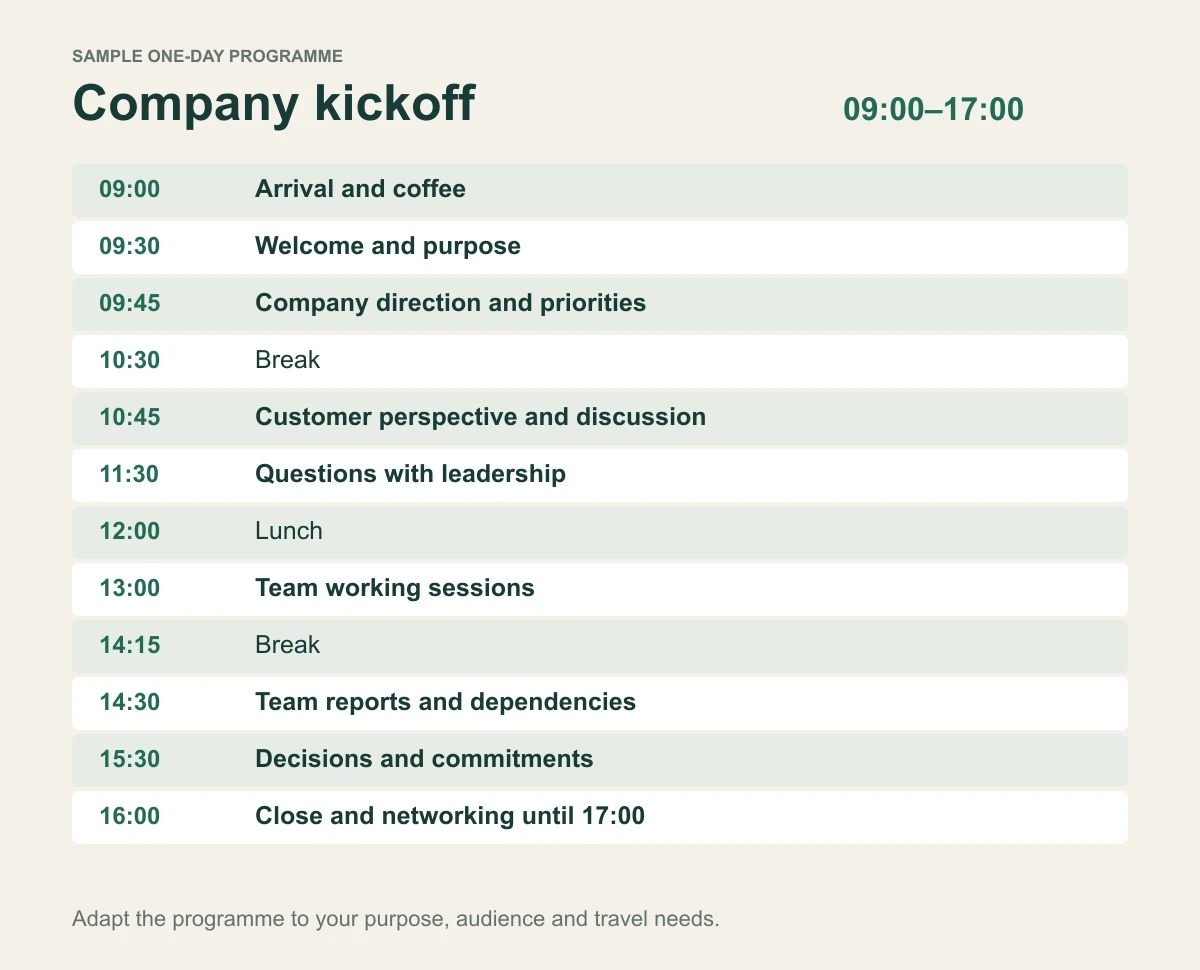
The original one-day template below is designed for an internal company kickoff, rather than a project initiation meeting. Adapt it for your headcount, travel arrangements and desired outcomes. The sample runs from 09:00 to 17:00 and does not assume that every business needs a full-day event.
Download the editable kickoff agenda as plain text. No email address required.
On this page
Define the outcome before filling the day
Write one sentence describing what should be different after the kickoff. For example: “Each team can explain the three annual priorities and identify the first action it owns.” That is more useful than a goal such as “inspire everyone”, because the organiser can design sessions around it.
Ask leadership what employees need to understand, what needs discussion and what genuinely requires a decision. Material that only needs to be read can often be shared in advance, leaving the event for conversation and work.
Choose the audience deliberately. A whole-company kickoff, a sales kickoff and a leadership offsite have different information needs. Do not reuse a sales-heavy programme for every department without adapting the content.
The one day kickoff agenda
| Time | Session | Owner |
|---|---|---|
| 09:00–09:30 | Arrival and coffee | Event operations |
| 09:30–09:45 | Welcome and purpose | Moderator |
| 09:45–10:30 | Company direction and priorities | Executive sponsor |
| 10:30–10:45 | Break | Operations |
| 10:45–11:30 | Customer perspective and discussion | Customer or product lead |
| 11:30–12:00 | Questions with leadership | Moderator |
| 12:00–13:00 | Lunch | Operations |
| 13:00–14:15 | Team working sessions | Team facilitators |
| 14:15–14:30 | Break | Operations |
| 14:30–15:30 | Team reports and dependencies | Moderator and team leads |
| 15:30–16:00 | Decisions and commitments | Executive sponsor and leads |
| 16:00–17:00 | Close and networking | Moderator and event lead |
This is an adaptable sample programme. The session notes below explain the purpose and output of each part.
0900 to 0930 Arrival and coffee
Give people time to arrive, find the room and meet colleagues. Display the event-page link or a QR code where it is useful. Make the entrance, registration point and accessible route clear in advance.
Owner: event operations. Output: attendees are settled before the programme starts.
0930 to 0945 Welcome and purpose
The moderator explains the day's goal, practical arrangements and how questions will be handled. State which topics are open for input and which decisions have already been made.
Owner: moderator. Output: everyone understands the task and the shape of the day.
0945 to 1030 Company direction and priorities
Leadership explains the business context and the priorities for the coming period. Use concrete examples of what will change for customers, teams or working practices.
Owner: executive sponsor. Output: a shared understanding of the priorities and why they matter.
1030 to 1045 Break
Protect the break rather than treating it as spare presentation time. People need time to move, use facilities and process what they have heard.
Owner: moderator and operations. Output: the programme restarts on time without rushing attendees.
1045 to 1130 Customer perspective and discussion
Use a relevant customer story, research summary or product demonstration to connect the priorities to real work. Clearly identify whether an example is an actual customer case or an illustrative scenario.
Owner: customer or product lead. Output: teams can connect the company direction to a practical customer problem.
1130 to 1200 Questions with leadership
Allow clarification before sending teams into planning discussions. Group related questions and record those that need follow-up. Avoid promising an immediate answer when the responsible person needs to investigate.
Owner: moderator. Output: answered questions and a visible route for unresolved ones.
1200 to 1300 Lunch
Publish where lunch is served and how guests can get help with dietary arrangements. Allow enough time for movement between rooms and informal conversation.
Owner: operations. Output: a predictable break and a clear return time.
1300 to 1415 Team working sessions
Each team identifies how the priorities affect its work. Provide the same brief to every facilitator: choose the most relevant priority, identify one obstacle and propose a first action with an owner.
Owner: team facilitators. Output: short action proposals rather than a long list of unassigned ideas.
1415 to 1430 Break
Use the break to reset rooms and prepare the report-back. Do not introduce a new optional activity that prevents people returning on time.
Owner: operations. Output: teams are ready for the next session.
1430 to 1530 Team reports and dependencies
Ask teams to share the action, the owner and the help needed from another team. Set a clear time limit based on the number of groups. For a larger company, use selected reports or a written summary instead of giving every team a lengthy presentation.
Owner: moderator and team leads. Output: visible dependencies and issues requiring coordination.
1530 to 1600 Decisions and commitments
Confirm which proposals are agreed, which need further work and who will make outstanding decisions. Give each action a review date.
Owner: executive sponsor and relevant leads. Output: an agreed follow-up list.
1600 to 1700 Close and networking
Summarise the priorities and the next checkpoint. If networking is optional, say so and distinguish it from the formal programme. Give travelling employees a clear finish time.
Owner: moderator and event lead. Output: a clear ending and an understood next step.
Adjust the programme to the headcount
For a small team, a single facilitated discussion may replace breakouts. For several hundred employees, add room assignments, facilitator guidance and a way to collect outputs without waiting for every group to speak on stage.
If the event has multiple tracks, publish each session's audience, room and facilitator. A track preference collected at registration helps planning, but it is not automatically a reserved workshop seat. Verify the allocation process if room limits apply.
InviApp's business event features include speaker profiles and an agenda with times, rooms and tracks. That lets the event page explain the programme alongside the registration process.
Plan accessibility and movement time
A programme that fits perfectly on paper may fail when people need to move between buildings. Allow realistic transitions and explain accessible routes. Ask attendees about support requirements early enough to arrange them.
The W3C accessible events checklist covers schedule considerations, accessible materials and participant requirements. Use it with venue planning, rather than treating accessibility as a single registration question.
For international teams, specify the event time zone. Review translated names, venue instructions and key programme terms with someone who understands the context.
Connect the agenda to the invitation
Your invitation should explain the purpose, duration and expected participation. Link to the detailed programme rather than putting the whole timetable in the email. Use these corporate invitation templates if you need a starting point.
Collect only answers that affect the arrangements: attendance, relevant transport, dinner participation or session preference. InviApp's RSVP tools keep responses with the attendee list so operations can prepare a current handover.
Follow through after the event
Send the agreed priorities and actions through your organisation's normal work tools. Assign an owner for unresolved questions and schedule the promised checkpoint. The event page supports communication, while action delivery still needs accountable people.
Review the agenda with facilitators afterwards. Which sessions produced useful decisions? Where did timings fail? Use that evidence to revise the next kickoff instead of simply adding more content.
Frequently asked questions
What should a company kickoff include
Include a clear business purpose, leadership context, opportunities for questions, team discussion and agreed next steps. Add practical arrival information, breaks and a definite finish time.
How long should a company kickoff last
Choose the shortest format that supports the intended outcomes. A focused half-day may be enough for a small team. A full day can suit a wider company programme when discussion and team work justify the time.
Should the kickoff agenda be shared before the event
Yes, share enough for attendees to plan and prepare. Publish times, rooms, session purpose and practical details, then communicate important changes directly.
Publish a programme people can use
Adapt the template, assign session owners and test the day's timing. Explore InviApp Business to publish the agenda, speaker information and RSVP process on a branded event page.